H.
Project Overview:
The Product:
Project Duration:
This web app is about an online platform for users to easily find the tutors nearby who can best suit their needs.
12 weeks.

The Problem:
When people search for tutors, they find that it’s hard to prioritize the tutors who can best suit their needs.
My role:
I planned this project for portfolio showcase, and I conducted every step of this project by myself, from user research to prototype.
The Goal:
Create a sorting function that could categorize tutors by certain criteria to find and book a best suiting tutor.
Responsibilities:
•Define problems and ideate solutions.
•Wireframes and prototype.
•Visual design
Wireframes:
Paper Wireframes:

I created the paper wireframes first for initial layout study, as well as the variation format on tablet and phone screen size.
Digital Wireframes:
I transfered the paper wireframes into digital version for readability and preliminary design.
Then I designed the layout of the same page on different screen sizes.
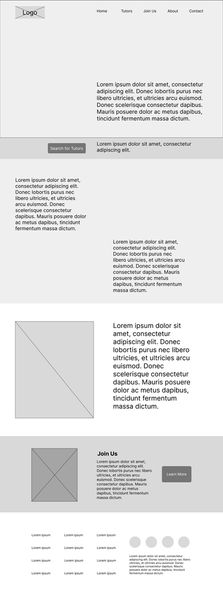
Homepage:
I summarized the essential features of this web app within homepage.
Call-to-action button to search for tutors


Tutors list page:
You can search for the tutors who can best suit your needs by using the filter in the left sidebar.

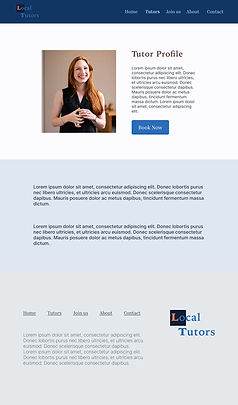
Tutor profile page:
In this page, there is a tutor profile picture with some basic tutor information in the top section. Underneath, there is a section for detailed introduction about the tutor.

Low-Fidelity Prototype:
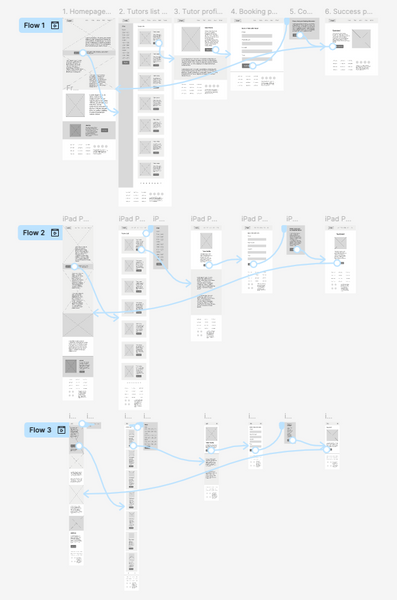
Clickable Prototype Links:
Mockups:







After filling up the booking form, by clicking “Submit” button, there would be a popup page reminding users to check their booking information.
Both the navigation and the filter would be hidden in a popup page in phone screen format.


High Fidelity Prototype:


Clickable Prototype Links:
Front-End Development:
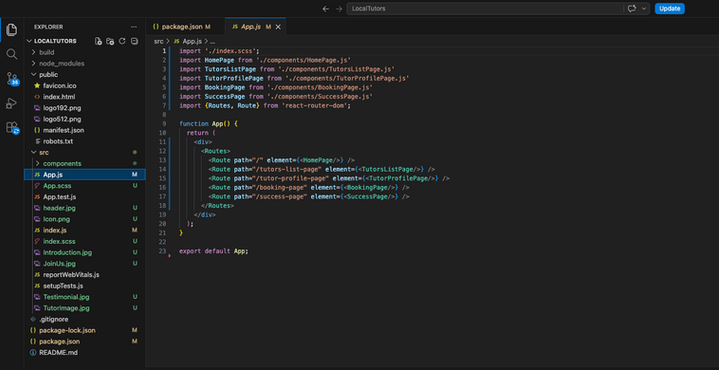
Developed website link:
Takeaways:
This is the first UX project I made, and I really learn a lot of basic web design skills through conducting this project. Nevertheless, this project also serves as the base of my front-end coding exercise, hence I did not add too many contents into this project and put more focus onto the interface only instead of the UX part for the easiness of coding.
I learnt to come up with solutions to address user problems. I also learnt to use Figma to do UX design, especially how to create fully responsive prototype using “auto layout” function of Figma. I also learnt to create design system for branding and designing UI more efficiently. The most significantly, I learnt to code a website using my front-end development skills based on my own design and launched it to have a fully functional website that could prove my ability of creating a website from start to end.
Going forward, I would like to put more effort onto usability study to test the effectiveness of my design, and iterate more to refine the user experience.
